Time needed: 1 minute
How to add a Water Tariff
- Login
• Log in to Smart-View Utilities
- Start by opening Side Menu
• If you’re taken straight to the Smart-View Utilities Dashboard screen open the side menu by clicking the Hamburger Menu.

- Then open Billing Management Menu
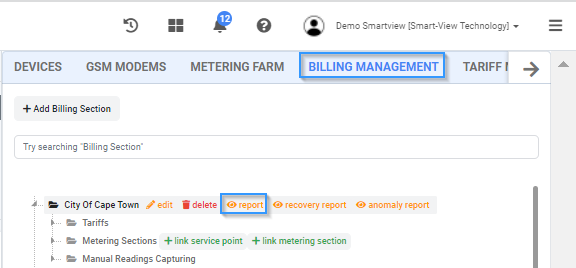
• Click the “Billing Management” Tab then click report.

- Next close the side menu by clicking on the Hamburger icon
- Next select the billing section & the date range
- Next export the data by clicking on the Export Data field and select format